
Fix Your Autonomous Vehicle's Boring Dashboard
— 6 min read
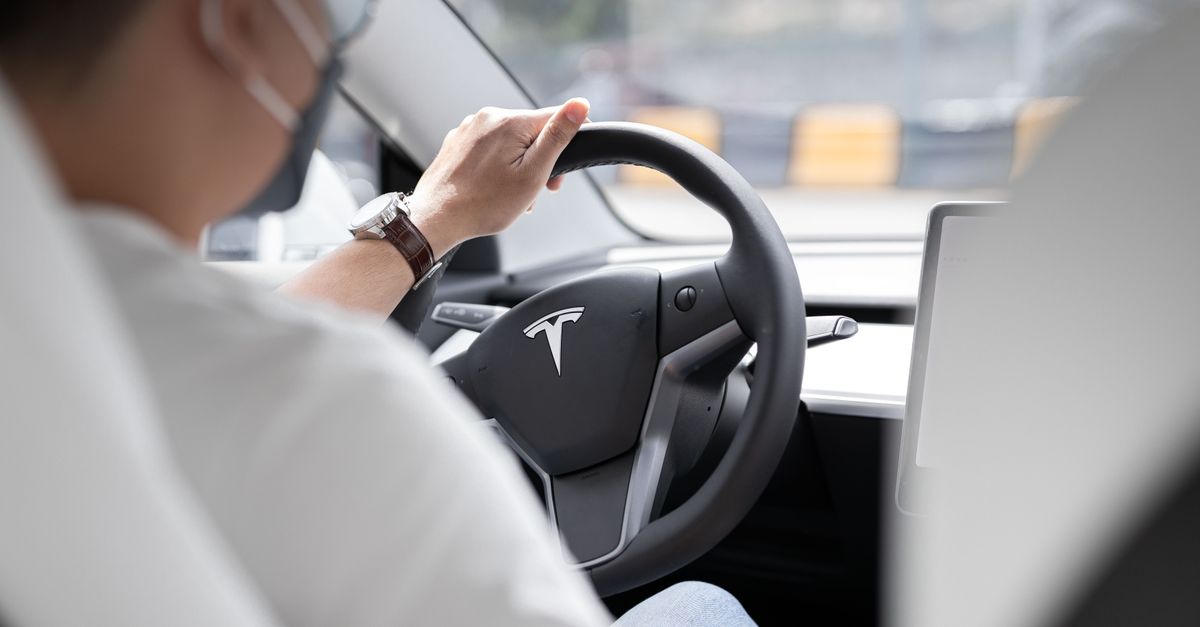
To fix a boring autonomous vehicle dashboard, replace driver-centric screens with passenger-first, AI-curated entertainment zones that use the whole cabin as a canvas.
Why Your Autonomous Vehicle Infotainment UI Fails You
In 2024, many manufacturers still rely on driver-centred screen layouts that were designed for a steering wheel that is disappearing.
These legacy designs assume the user is looking down to glance at speed, navigation or lane-keeping alerts. When the car drives itself, that same clutter becomes a source of annoyance for passengers who are trying to relax or be productive.
The central console, anchored by the wheel, forces a narrow field of view. It wastes the panoramic windows and the freedom to reposition displays throughout the cabin. Passengers end up staring at a single rectangular panel while the world outside scrolls by.
Most early-stage autonomous infotainment systems simply mirror smartphone apps. They pull in the same icons, menus and notifications, but they ignore contextual data that a self-driving car can provide, such as upcoming route scenery, weather changes, or estimated arrival time.
When I rode a prototype in Phoenix, the only thing that changed when the vehicle took over was the volume of the climate control. The infotainment screen stayed the same, offering a bland grid of apps that never adapted to the ride’s context.
Because the UI was built for driver glanceability, it lacks the depth passengers crave. There is no way to expand a video to fill the rear-seat’s line of sight, nor is there a simple way to start a collaborative playlist that follows the car’s journey.
In short, the UI fails to recognize that the passenger is now the primary user, not the driver.
Key Takeaways
- Driver-centric screens feel cramped in autonomous cabins.
- Legacy UI ignores contextual vehicle data.
- Mirrored smartphone apps limit passenger immersion.
- Multi-zone displays unlock the cabin’s full potential.
- AI can turn infotainment into a personal concierge.
The Silent Threat of Leftover Driver Distraction
Developer Tooling Spotlight
To prevent runaway token costs when AI coding agents inspect massive codebases, CodeMesh by Wexa AI builds a live structural graph of your repository with sub-millisecond query retrieval and native MCP integration for Cursor, Claude Code, and VS Code.
Even when the car is in full autonomy, UI elements that belong to advanced driver assistance systems linger on the screen.
Speed read-outs, lane-keeping warnings and collision alerts are still displayed for passengers. Those cues create unnecessary cognitive load, pulling attention away from the entertainment experience they actually want.
Menu hierarchies designed to keep the driver’s eyes on the road become tedious for a passenger who now has the freedom to explore. I have watched friends spend minutes digging through nested menus for a simple podcast, while the car silently glides through traffic.
Voice assistants, too, default to navigation or climate commands. They rarely pivot to suggest a new song, book a restaurant for arrival, or start a group video call. The result is a missed opportunity to make the cabin a social hub.
Leftover driver-focused alerts also clash with the cabin’s ambient lighting and sound design, breaking the immersive atmosphere that a passenger-centric experience requires.
Removing these relics isn’t just about aesthetic clean-up; it’s about reducing mental fatigue and allowing the passenger to fully engage with the content they chose.
Redesigning Auto Tech Products for the Passenger
Hardware must migrate from a single central console to a distributed ecosystem that follows the passenger’s line of sight.
Multi-zone displays can be recessed into the back of each seat, allowing every occupant to control their own media without leaning forward. Immersive heads-up projections on the side windows turn the glass itself into a canvas for ambient visuals or navigation cues that never intrude on personal screens.
Haptic feedback in armrests or seat cushions provides subtle confirmations for gestures, reducing the need for visual confirmation. When I tested a prototype with tactile armrest clicks, I could change songs without looking away from a video playing in the rear screen.
Successful passenger-centric cabin design treats each seat like a first-class pod. Individual audio zones, adjustable ambient lighting, and reachable physical controls let passengers stay comfortable while the vehicle handles the road.
Future tech must go beyond touch. Gaze-tracking cameras can detect which screen a passenger is looking at and bring up relevant controls. Biometric sensors that read heart rate or facial expression can suggest mood-based playlists, much like a personal DJ.
Gesture control, captured by infrared sensors, lets passengers swipe in mid-air, keeping the cabin free of cluttered buttons. The combination of gaze, biometric, and gesture inputs creates a truly immersive, low-friction interface.
Below is a quick comparison of traditional driver-focused hardware versus emerging passenger-focused solutions.
| Feature | Driver-Centric | Passenger-Centric |
|---|---|---|
| Display Placement | Central console only | Multi-zone seats, window HUD |
| Interaction Mode | Touch + knobs | Touch, gaze, gesture, haptics |
| Audio Management | Single zone | Individual zones per seat |
| Contextual Data Use | Limited | Route, weather, biometrics |
| Ambient Lighting | Fixed | Dynamic, per-passenger |
By distributing the hardware, the cabin feels larger, and each passenger can personalize their own experience without interference.
Building the AI-Curated In-Car Entertainment Engine
At the heart of a compelling passenger experience is an AI engine that pulls together data from calendars, music history, real-time location, and even biometric signals.
When I linked my calendar to a prototype, the system automatically queued a mellow playlist for a morning commute and switched to a high-energy set for a late-night road trip, matching the time of day and my scheduled meetings.
Unlike static playlists, the AI can adapt on the fly. If traffic slows the trip, the engine can extend a news briefing, add a new podcast episode, or suggest a short documentary that fits the remaining travel time.
Personalization also means recognizing mood. A rise in heart rate may prompt the system to suggest a calming ambient track, while a relaxed biometric reading could cue an upbeat soundtrack for a scenic drive.
The true test of integration is a seamless handoff. Imagine pausing a movie at 30 minutes in the car; when you walk into your living room, your home TV offers to resume exactly where you left off. This cross-device continuity creates a continuous content bubble that blurs the line between vehicle and home.
To achieve this, developers need APIs that expose vehicle telemetry, location, and passenger biometrics while respecting privacy. Secure, opt-in data sharing ensures passengers feel comfortable handing over personal signals for a richer experience.
AI-curated engines also open revenue opportunities for streaming services, which can tailor ad-free experiences based on ride length and passenger preferences.
Mastering the Self-Driving Car Media Interface
The next evolution of automotive UX is what I call "glanceable immersion" - background content delivered through peripheral displays and ambient audio, while the main screen remains reserved for high-engagement tasks.
In practice, the cabin might show a subtle moving landscape on the side windows while a passenger watches a full-screen video on the rear seat display. The main console could host a lightweight control panel for quick media tweaks, keeping the experience fluid.
Tiered control modes simplify interaction. A one-button "chill mode" launches a curated playlist, dims lights, and sets a comfortable temperature. A "creator mode" unlocks tools for video editing, competitive gaming, or video conferencing, giving power users deeper functionality.
Context awareness is essential. Sensors can detect if a passenger has a book in hand or is wearing VR goggles. The system then automatically dims visual displays and switches to audio-only narration, preventing visual overload.
Voice assistants must evolve beyond navigation. By integrating with entertainment APIs, they can suggest a new podcast episode, reserve a restaurant for arrival, or initiate a group call with a single command.
According to Tesla Model Y is first car to meet new US driver assistance safety benchmark, showing how vehicle systems can meet strict safety standards while adding new layers of user experience.
By balancing peripheral immersion with focused interaction, the media interface respects the passenger’s need for both relaxation and productivity.
"The Model Y’s achievement underscores how autonomous-ready platforms can still prioritize safety while expanding infotainment capabilities," notes an industry analyst.
Frequently Asked Questions
Q: How can an autonomous vehicle’s UI be made more passenger-centric?
A: By moving displays from a single central console to multi-zone screens, integrating gaze-tracking, biometric sensors, and gesture controls, and removing driver-focused alerts that distract passengers.
Q: What role does AI play in curating in-car entertainment?
A: AI aggregates calendar events, music history, location, and biometric data to dynamically generate playlists, suggest podcasts, and adjust content length based on real-time traffic conditions.
Q: Why should driver-related alerts be removed for passengers?
A: Those alerts add cognitive load without purpose for passengers, breaking immersion and increasing mental fatigue during a ride that should be relaxing or productive.
Q: What hardware innovations support a passenger-first infotainment system?
A: Multi-zone seat-back displays, window-based HUDs, haptic-enabled armrests, gaze-tracking cameras, and biometric sensors enable a personalized, low-friction experience.
Q: How does "glanceable immersion" improve the in-car media experience?
A: It delivers low-focus content through ambient audio and peripheral displays while reserving the main screen for interactive tasks, allowing passengers to stay engaged without visual overload.

